
How customers sign up for text messages
Bloom and Petal Flower Truck LLC, doing business as Bloom and Petal (5511 Hwy 280, Suite 106, Birmingham, AL 35242 · 205-994-2434), sends text messages only about a customer's own order: an order confirmation, when it is out for delivery, when it is delivered (sometimes with a photo), and if we could not deliver it. We do not send marketing texts. Texting is always optional and is never required to place an order.
A customer agrees to texts in one of two ways. Both are described below, with the exact words the customer sees or hears.
1. On our website (checkout)
At checkout on flowers280.com, under "Your information," there is a checkbox that is not checked unless the customer checks it:
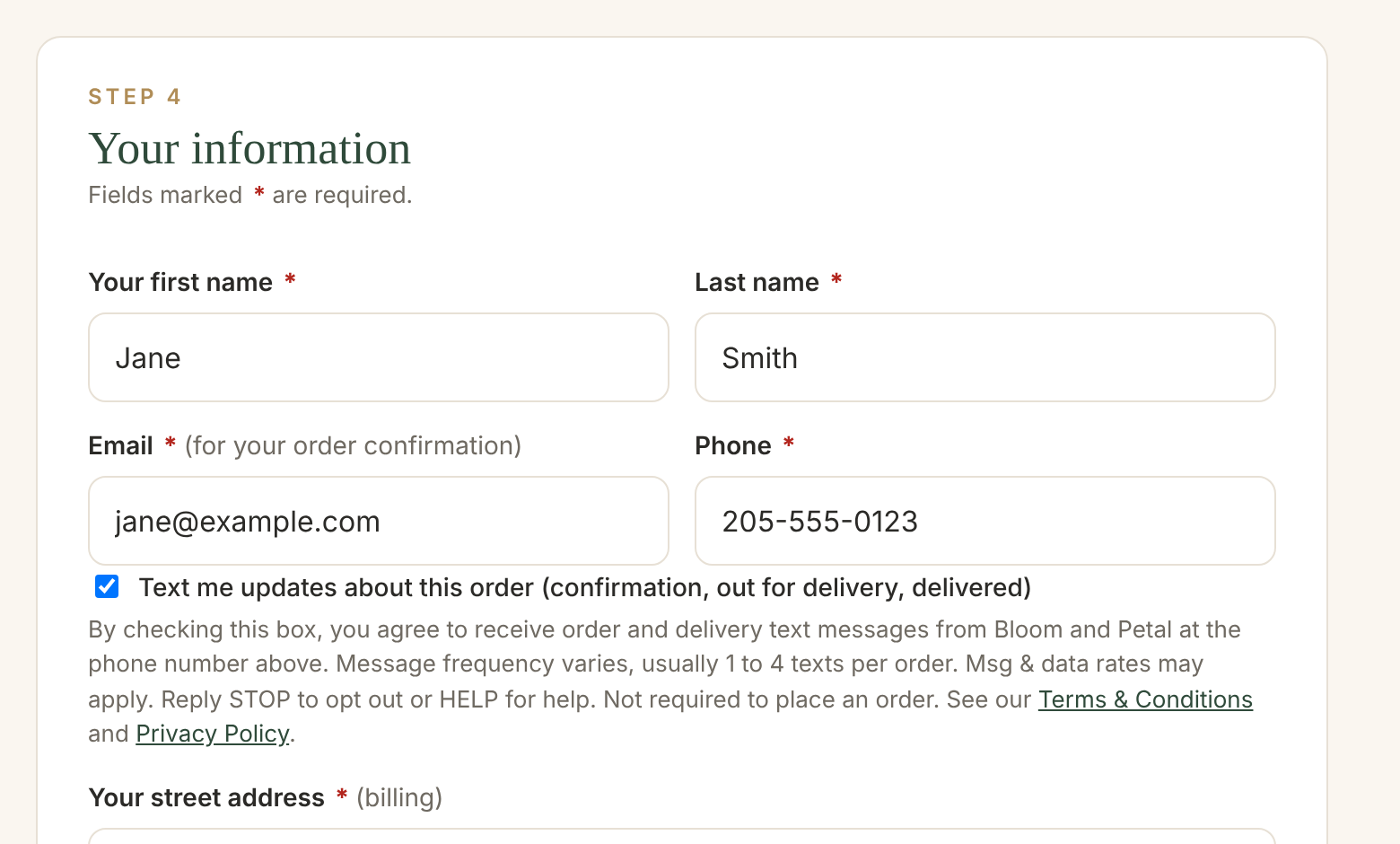
The wording next to the box reads:
By checking this box, you agree to receive order and delivery text messages from Bloom and Petal at the phone number above. Message frequency varies, usually 1 to 4 texts per order. Msg & data rates may apply. Reply STOP to opt out or HELP for help. Not required to place an order. See our Terms & Conditions and Privacy Policy.
If the box is left unchecked, the customer gets no texts. When it is checked, our system records that the customer agreed on the website, with the date and time, on that order.
2. By phone or in the shop (verbal opt-in)
When a customer orders by phone or at the counter, our staff enter the order in our order system. The texting checkbox there is unchecked by default, and the exact question staff must read is printed right next to it:
Staff check the box only if the customer says yes. If they say no, or are not asked, the box stays unchecked and no texts are sent.
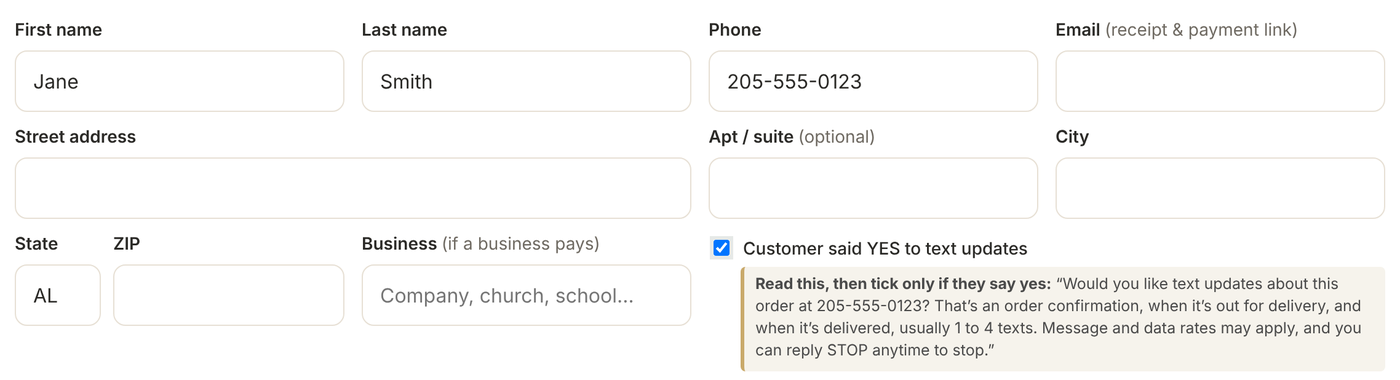
Record of consent: when staff check the box, the order records that the customer agreed, which staff member asked, the phone number, and the date and time. That record stays with the order.
What the texts look like
Every text starts with "Bloom and Petal" and is about the customer's order. Examples:
Opting out and help
- STOP: Replying STOP (or UNSUBSCRIBE, CANCEL, END, QUIT) stops all texts to that number right away. The customer gets one confirmation text and nothing after that. Replying START signs them back up.
- HELP: Replying HELP returns our shop name and phone number. Customers can also call us at 205-994-2434.
- Message frequency varies, usually 1 to 4 texts per order. Message and data rates may apply. Carriers are not liable for delayed or undelivered messages.
Privacy
We do not sell or share mobile numbers or text opt-in information with third parties or affiliates for marketing or promotional purposes. See our Privacy Policy and the Text Message (SMS) Terms.
Last updated November 20, 2026.